AI Study Guide Maker: Create a Study Guide in 60 Seconds (2026)
TL;DR
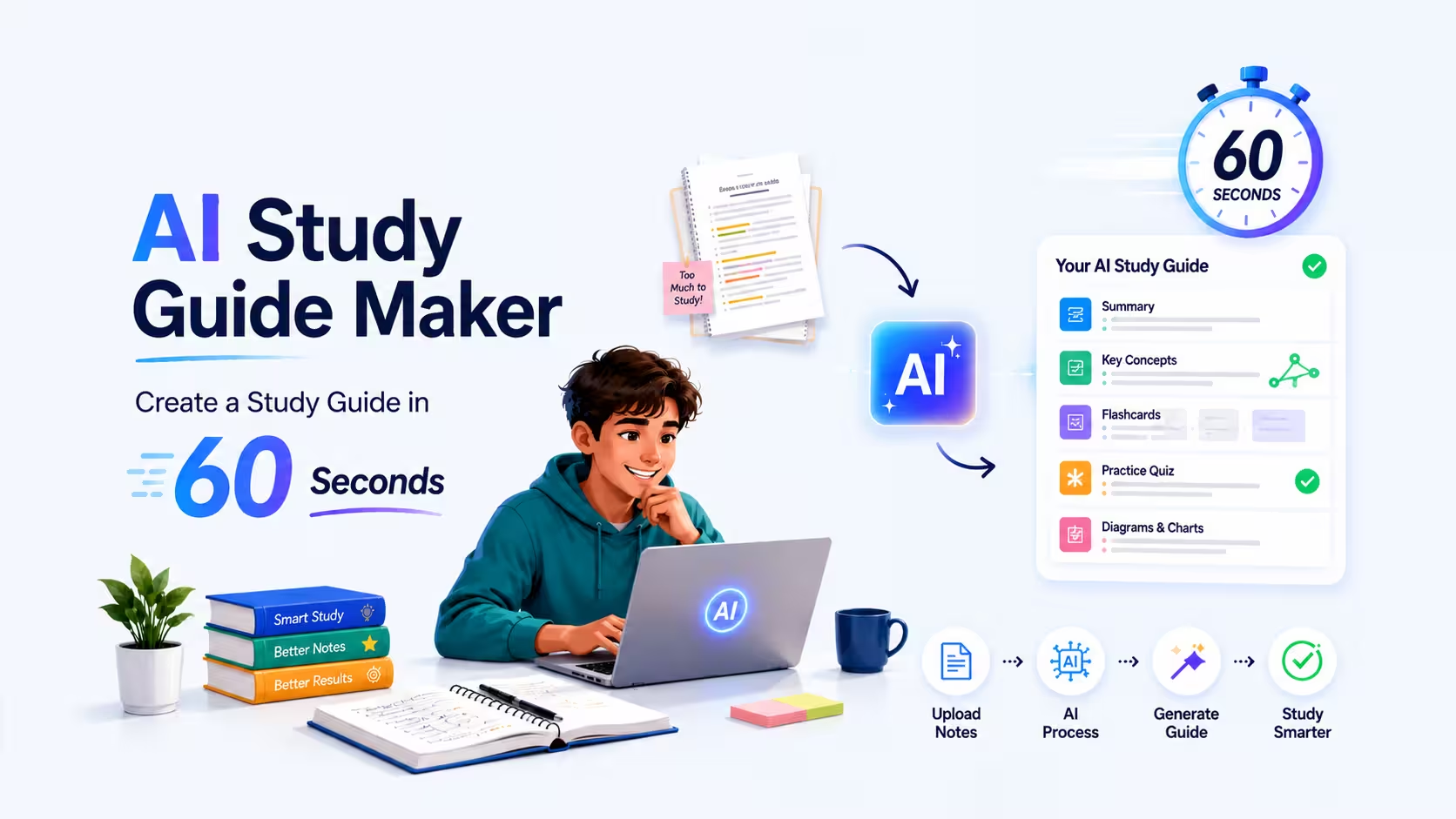
An AI study guide maker turns your notes, PDFs, textbook pages, lecture slides or handwritten pages into a structured study guide in under a minute. The fastest free option for students right now is NotesXP, which accepts every input type students actually use, saves every generated guide for offline revision anywhere, and lets you chat with the guide with citations back to your source. Below is the full 5 step workflow, copy paste AI prompts for ChatGPT and Claude, an honest comparison of the top 6 study guide makers, and how to actually study from the guide once you have it.
Most students lose an entire weekend making a study guide before finals.
You know the routine. You open a 200 page PDF, a stack of handwritten notes, three slide decks and your syllabus. You start typing definitions into a Google Doc. Four hours later you have covered chapter one and you are already exhausted.
A modern AI study guide maker compresses that weekend into about ninety seconds. You upload your material, pick a format, and the AI returns a clean, structured study guide that you can actually revise from. The good ones also generate flashcards, mind maps and quizzes from the same upload, so your active recall practice is set up before you even open the guide.
This guide walks through exactly how to use one (with the NotesXP app as the reference example), gives you copy paste prompts for ChatGPT and Claude if you would rather DIY, and compares the six study guide makers students are actually using in 2026.
What is an AI study guide maker?
An AI study guide maker is an app that ingests your raw study material and outputs a structured, exam ready document. The input can be almost anything: typed notes, a textbook PDF, a photo of a notebook page, a slide deck, a syllabus, even an audio recording of a lecture. The output is a clean guide with headings, definitions, key concepts, examples and a summary.
The good ones go further. They produce multiple formats from the same upload (outline, mind map, flashcards, quiz, audio podcast), let you chat with the guide to ask follow up questions, and link every claim back to the source page so you can verify it.
Who uses them: undergraduates cramming for finals, medical and law students managing massive reading loads, high schoolers prepping for AP and SAT subject tests, and increasingly teachers building scaffolded study materials for their classes.
Why a study guide works better than rereading
Three cognitive science effects you are quietly using when you study from a guide.
Study guides are not just neat to look at. They line up with three of the most replicated findings in learning research, which is why students who use them consistently outperform students who just reread the textbook.
- Generation effect: writing or even reorganizing notes into a guide forces retrieval, which strengthens memory more than highlighting.
- Spaced repetition: a structured guide is easy to revisit in short daily passes, which beats one long cram session for long term retention.
- Dual coding: guides that combine text with diagrams or mind maps create two retrieval pathways instead of one.
The AI is not what makes the guide effective. The guide is effective because of these three effects. The AI just gets you to a usable guide in 60 seconds instead of 6 hours, so you can spend the time on retrieval practice instead of typing.
Make a study guide in 60 seconds with NotesXP
The fastest workflow we have tested for students in 2026.
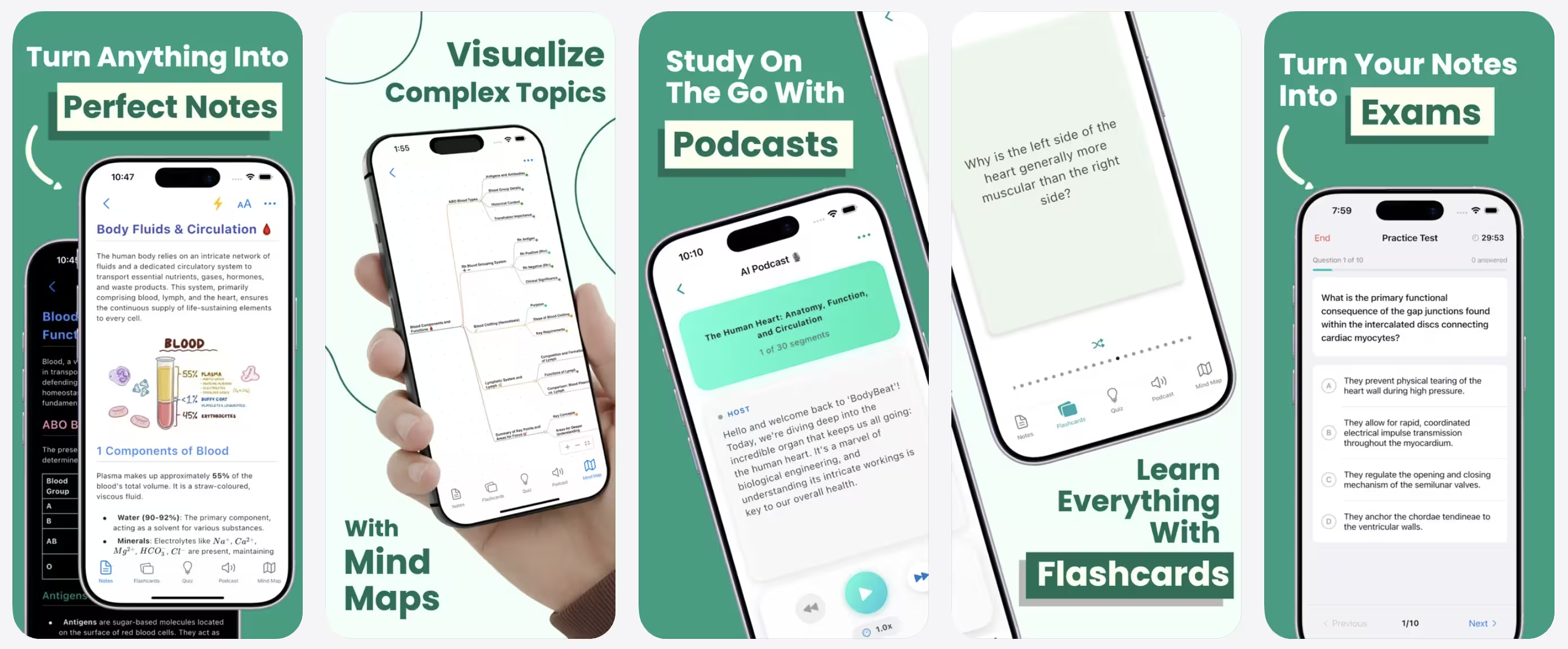
NotesXP is an AI study companion built specifically for students. It accepts every input type a student actually has lying around, saves every guide it generates so you can revise on a plane, on the subway, or anywhere with zero signal, and lets you chat with the generated guide while you are online. Here is the exact 5 step workflow.
Step 1: Upload your source material
Open NotesXP, tap the + button and drop in whatever you have. The app handles all of these in one workflow:
Mix sources in one upload. If you drop in the textbook chapter plus your own messy notes, the AI will weight your notes higher when it builds the guide, which is closer to how you will be tested.
Step 2: Pick a study guide format
Tap “Generate study guide” and pick the format. You can also generate more than one from the same upload, which is what most students end up doing.
- • Summary sheet: a one page condensed version, best for last minute review.
- • Outline guide: hierarchical headings with definitions and examples, best for first pass studying.
- • Mind map: visual web of concepts, best for seeing relationships in dense subjects like biology or history.
- • Flashcard deck: Q and A pairs for active recall.
- • Quiz: mixed multiple choice and short answer questions with auto grading.
- • Audio podcast: two voice conversational walkthrough, perfect for commutes and gym sessions.
Step 3: Review and edit the draft
This is the step most students skip and regret. Spend 5 to 10 minutes scanning the guide for vague definitions, missing formulas or anything your professor emphasized in class that the AI did not. Edit directly in the app. The guide is now better than something you would have written by hand, because the AI handled the structure and you handled the judgement.
Step 4: Chat with your guide
This is the feature that quietly changes how studying works. Tap the chat icon and ask the guide questions in plain English. “Explain mitosis like I am 12.” “What is the difference between civil and common law systems?” “Give me three sample exam questions for chapter 4.”
Every answer is linked back to the specific page in your source, so you can verify it and read more context. This is closer to having a tutor than to using a search engine.
Step 5: Export and study with active recall
Export the guide as a PDF for your tablet, or keep it in the app and let it quiz you. Whatever you do, do not just reread the guide. Use the flashcards and the quiz the app generated alongside it. The guide is the reference. Active recall is the studying.
7 types of study guides you can generate
Different subjects and exam formats want different guides. Pick the one that matches yours.
Outline guide
Hierarchical headings with definitions, examples and key takeaways. Best for first pass studying of a new chapter.
Summary sheet
One to two pages of compressed essentials. Best for the night before an exam when you have already done the work.
Mind map / concept map
Visual web of how concepts connect. Best for dense subjects with lots of relationships (biology, history, philosophy).
Flashcard deck
Q and A pairs for active recall. Best for definition heavy and multiple choice exams.
Practice quiz
Mixed format questions with auto grading. Best for testing your readiness and finding weak topics.
Audio podcast
Two voice conversational walkthrough of the material. Best for commutes, gym sessions and revision while walking.
Cheat sheet
A single page of formulas, definitions and frameworks formatted to print or bring (if allowed) to an open book exam.
Copy paste AI prompts (if you do not have a study guide app yet)
Drop these into ChatGPT, Claude or Gemini with your notes pasted underneath.
A dedicated app like NotesXP is faster and handles PDFs, handwriting and slides natively. But if you only have a chat model open and want a guide right now, these prompts get you 80 percent of the way there.
Prompt 1: One page study guide from notes
Prompt 2: Active recall flashcards from a chapter
Prompt 3: Mind map outline from a textbook section
Prompt 4: Exam style practice questions from a syllabus
Prompt 5: Feynman explanation for a hard concept
These prompts work, but chat models hallucinate. Always verify any specific date, formula or named law against your textbook before you put it in your study guide. A dedicated app like NotesXP grounds every claim in your uploaded source, which is why it is more reliable for studying.
NotesXP vs. other study guide makers (honest comparison)
We tested all six on the same 40 page biology chapter. Here is how they ranked.
Most “best study guide maker” lists on Google are ranked listicles where every tool somehow scores 9 out of 10. We are not doing that. This is what actually shipped on each app as of May 2026.
| Feature | NotesXP | Quizlet | NoteGPT | Knowt | NotebookLM | ChatGPT |
|---|---|---|---|---|---|---|
| Accepts PDFs | ||||||
| Accepts handwritten photos | ||||||
| Accepts audio / lectures | ||||||
| Output: written guide | ||||||
| Output: flashcards | ||||||
| Output: quiz | ||||||
| Output: mind map | ||||||
| Output: audio podcast | ||||||
| Chat with your guide | ||||||
| Source citations | ||||||
| Offline revision of saved guides | ||||||
| Free tier usefulness | ||||||
| Best for messy student input |
Bottom line
NotesXP wins if your study material is messy (handwriting, photos, audio, mixed sources) and you want every output format from one upload. Once a guide is generated it lives in the app, so you can revise on a plane, on the subway or anywhere with no signal.
NotebookLM is a strong free alternative if your material is already digital and clean. It is excellent for source grounded chat.
Quizlet is fine if you only need flashcards from typed notes.
For a deeper feature by feature review of every app on this table, see our full Best AI Study Apps roundup.
Study guides by subject: what actually works
The right format depends on the exam style of your discipline.
Medical and nursing students
Use the outline format for first pass on pharmacology and physiology, then convert the same upload into a flashcard deck for spaced repetition. Mind maps are useful for anatomy. The reading load is too heavy for manual guides.
Deeper guide: Best AI apps for medical students
Law students
Outline guides per topic, plus a separate case brief flashcard deck. Use the chat feature to drill issue spotting on hypothetical fact patterns. Avoid summary sheets for bar level work, you lose too much nuance.
STEM (engineering, physics, CS)
Cheat sheet format for formulas plus a practice quiz for problem solving. Mind maps help when a topic has multiple interlocking concepts (thermo, algorithms, circuit analysis). Always verify formulas against the textbook.
Humanities and social sciences
Outline guide plus essay style practice questions. Mind maps are useful for showing how theorists, periods or concepts connect. Audio podcasts are great for revising on the move.
High school and AP students
Summary sheet plus flashcards is usually enough. The audio podcast format is underrated for AP history and bio, where you can review the whole unit on the bus to school.
Teachers building guides for students
Upload your lesson plans, generate the outline plus a quiz, then edit the language for your grade level. This is roughly 10 minutes of work for what used to be a full prep period.
Deeper guide: Best AI apps for teachers in 2026
How to actually study from your AI study guide
The guide is the reference. The studying is active recall.
The number one mistake students make with AI generated study guides is rereading them. The guide is a tool, not the studying. Here is the workflow that actually moves grades.
Day 1: First read and edit
Read the guide once, edit anything wrong or vague, run the auto generated quiz to find your weak topics.
Day 2: Flashcards only
Do the flashcard deck. Mark weak cards. Do not look at the guide unless you fail a card.
Day 3: Chat the weak topics
For every topic you got wrong, ask the chat feature to re explain and give you 3 new practice questions. Add the new questions to your deck.
Day 4: Full practice quiz
Generate a fresh quiz from the same source material. Aim for 85%+. If you hit it, you are exam ready. If not, repeat day 3 on the new weak topics.
Day 5 (exam day): Summary sheet only
Read the one page summary on the morning of the exam. No new content. No new cards. Trust the work.
If exams are tomorrow, compress this into a single evening: edit the guide for 15 minutes, do the quiz, hit weak topics with chat, redo the quiz, sleep. Cramming is fine if it is structured around retrieval.
6 mistakes that ruin an AI study guide
Uploading the entire semester at once
Output gets shallow. Generate per chapter or per week.
Skipping the edit pass
AI misses professor specific framings. 10 minutes of editing doubles the guide quality.
Rereading the guide as your studying
Reading is not retrieval. Use the flashcards and quiz, not the guide.
Not verifying formulas or dates
Chat models hallucinate. NotesXP cites your source, but check anything specific anyway.
Picking the wrong format
Mind maps are great for biology, useless for problem solving in physics. Match format to exam style.
Using AI as the source of truth
The AI organizes your material. Your professor still sets the exam. The textbook is still authoritative.
Is using an AI study guide maker cheating?
The short answer: no, in almost every case.
An AI study guide maker reorganizes your own materials into a format you can revise from. That is the same category as using a highlighter, building flashcards or asking a friend to quiz you. The guide is a private revision tool that never gets submitted.
It becomes a problem only in two cases:
- • You paste AI text into an assignment as if you wrote it. That is academic dishonesty in most institutions.
- • Your course explicitly bans AI tools, including for personal study. A small number of courses do this. Check the syllabus.
If your goal is “make a guide I can study from in private,” you are fine. If your goal is “have AI write my essay,” that is a different tool and a different conversation.
Make your first study guide in 60 seconds.
Drop in your notes, PDFs, slides or handwritten pages.
NotesXP turns them into a guide, flashcards, quiz and audio podcast from one upload, free.
Download NotesXPRelated reading: Revolutionizing the Way Students Study, How to Convert PDFs into Flashcards Automatically and How to Study for Exams When You Have No Time.